

Appearance

Submissions
Entries are listed under Components → NXForms → Submissions. The Submissions button in the builder opens the list for that form.
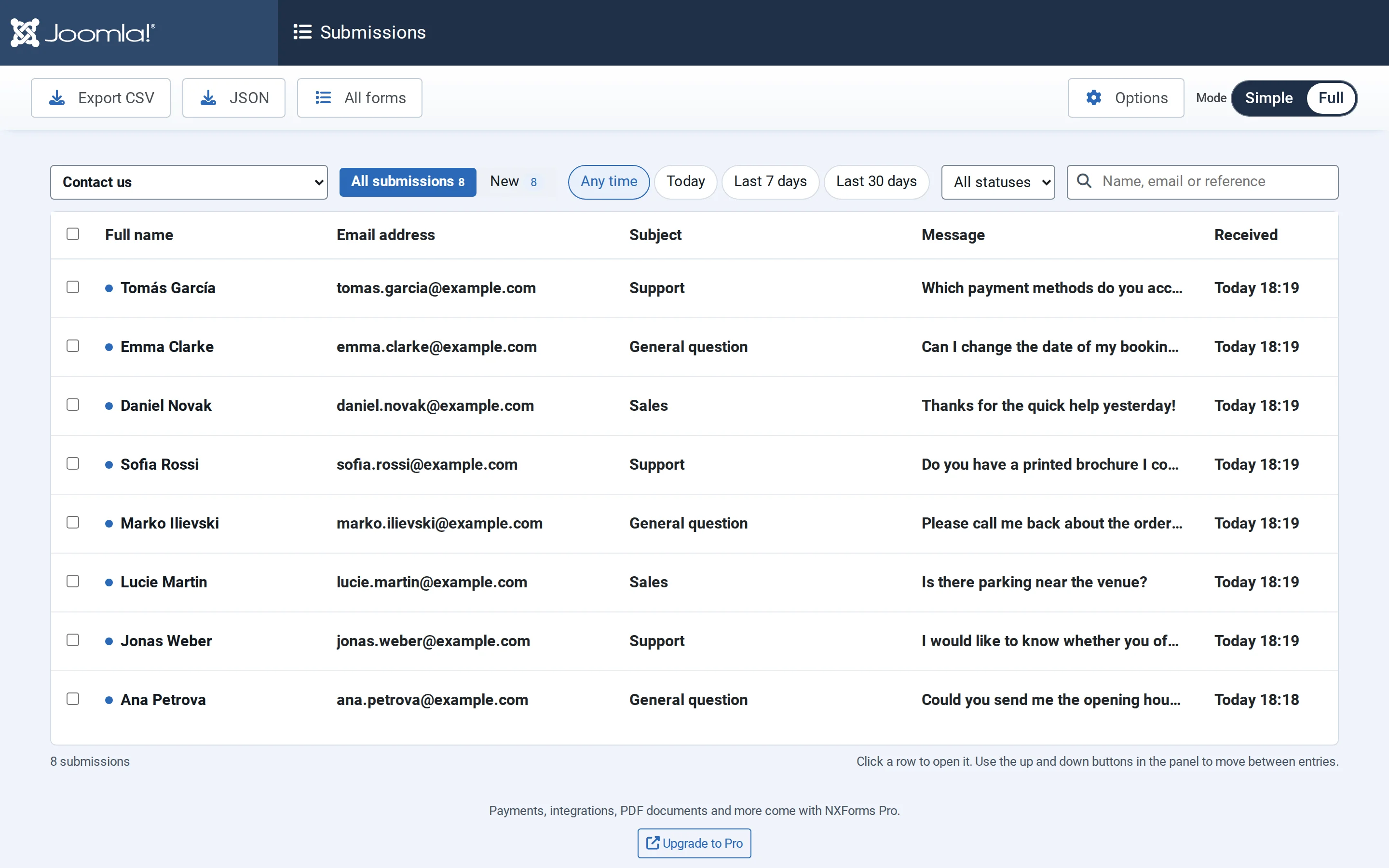
Find entries
- Form: one form, or all of them. For one form, the list shows the visitor's name and the form's first answers; for all forms, the email address and the form.
- All submissions or only New ones, each with its count.
- Any time, Today, Last 7 days or Last 30 days.
- Status, and in Full mode the payment status.
- Search finds names, email addresses, references and answers.
Unread entries are bold and marked with a dot. Entries sent through the Form API show an API badge.
Read an entry
Select a row to open the entry in a panel beside the list. It shows every answer, and in Full mode technical details such as when and how it was sent. The arrow buttons, or ↑ and ↓ inside the panel, move to the next entry. Opening an entry marks it as read.
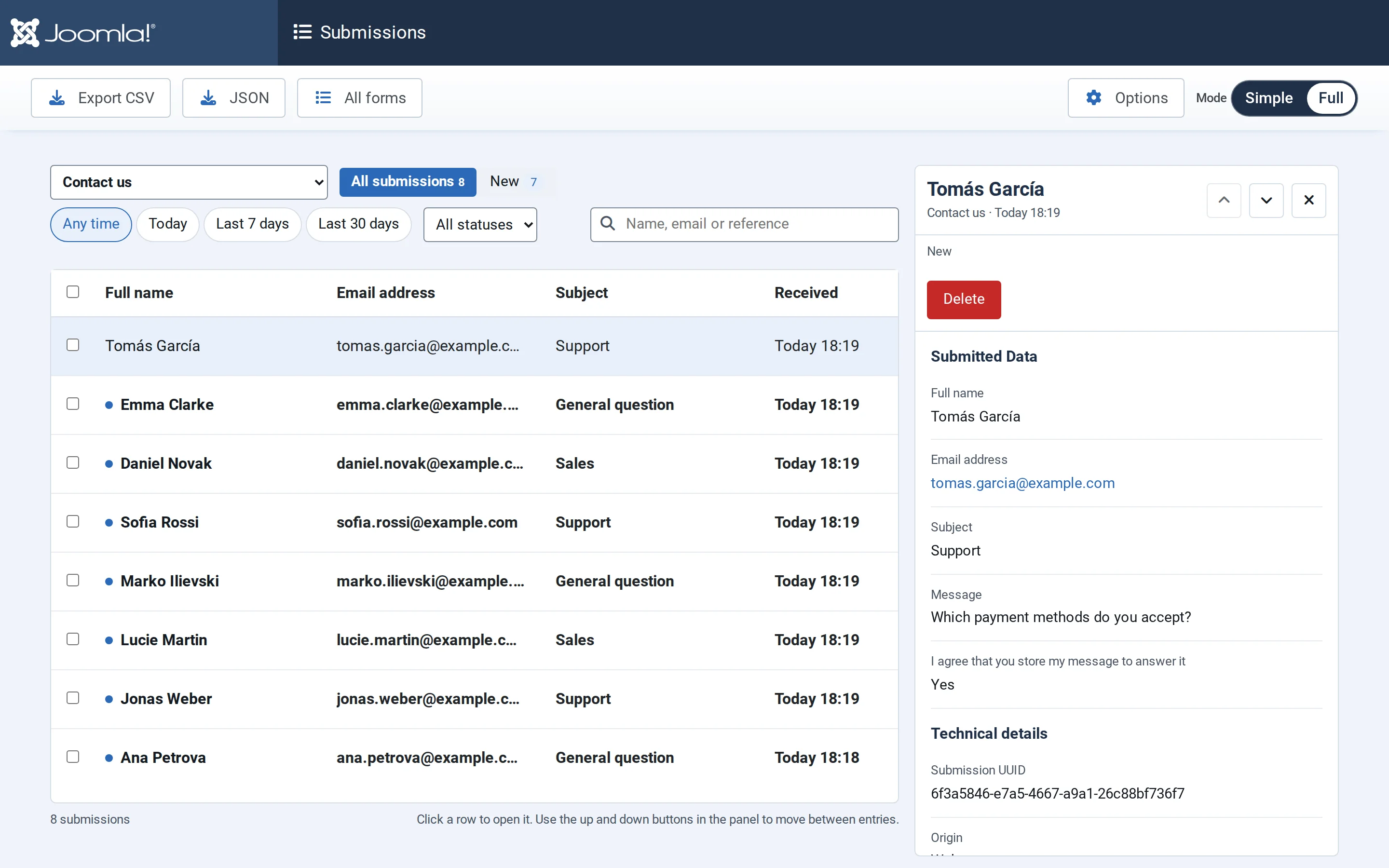
Export and delete
- Export CSV downloads the entries that match the current filters, or only the ones you ticked. JSON downloads the same as JSON.
- Ticking entries also offers Delete, and Mark as read in Full mode.
- Delete in the panel removes one entry. Deleting removes its uploaded files too.
Entries are kept until you delete them, unless you set a retention period: see Privacy and retention.