

Appearance

Privacy and retention
Each form has its own privacy settings, in the Privacy & analytics section of the form settings. The section is shown in Full mode.
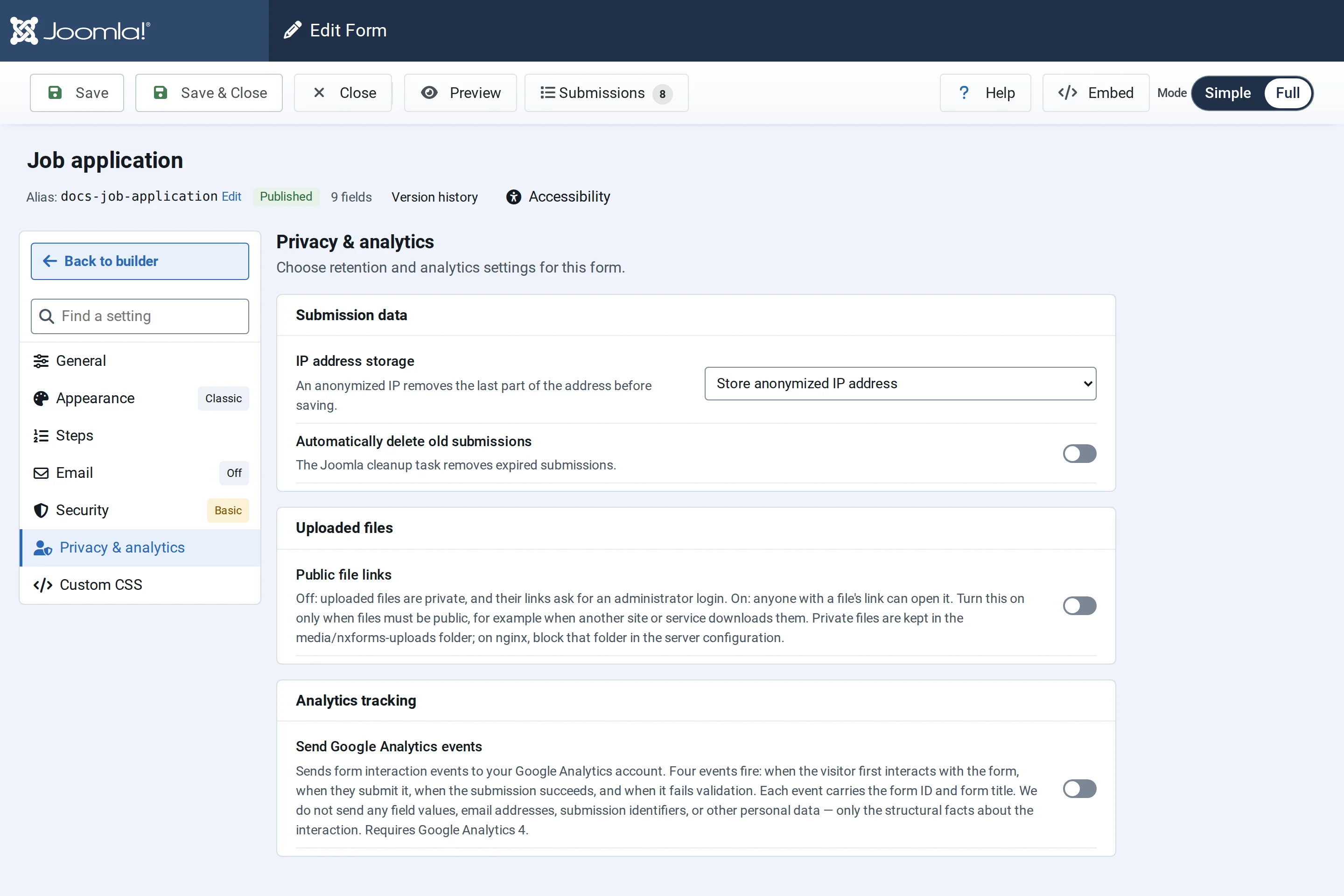
IP addresses
IP address storage decides what is saved with each entry:
| Choice | Saved with the entry |
|---|---|
| Store full IP address | The visitor's address |
| Store anonymized IP address | The address with its last part removed. This is the default. |
| Do not store IP addresses | Nothing |
Integrations that send the whole entry, such as Webhook, Zapier and Make, send the IP address the same way: in full, with its last part removed, or not at all.
Delete old entries automatically
Switch on Automatically delete old submissions and set Delete submissions older than (days), from 1 to 3650. Entries older than that are deleted, with their uploaded files.
The deleting is done by Joomla's scheduler, with the NXForms — Submissions cleanup task:
- Go to System → Scheduled Tasks and select New.
- Choose NXForms — Submissions cleanup.
- Set it to run once a day, and save.
The task needs Joomla's scheduler to run, which it does when your site has visitors, or from a cron job if you set one up. While a form deletes old entries and the task isn't active, Options → General shows a notice with a Create scheduled task button.
Without automatic deletion, entries are kept until you delete them in Submissions.
Uploaded files
Public file links decides whether files uploaded through this form open without a login. See File uploads and privacy.
Google Analytics events
Switch on Send Google Analytics events to send four events to your Google Analytics 4 account: when a visitor first uses the form, sends it, when the submission succeeds, and when it fails validation. Each event carries only the form's ID and title, never answers or email addresses.
- Measurement ID: leave empty to use the Google Analytics already on your pages. Enter a
G-ID only to send this form's events to a separate property. - Event prefix: added to each event name, for example
lead_giveslead_form_submit_success. Prefixed names are also less often blocked by content blockers. - Respect Consent Mode: on by default. Events are sent only after the visitor has agreed to analytics through Google Consent Mode v2; if their choice is unknown, nothing is sent.