

Appearance

Options
Options holds the settings that apply to all forms. Open Components → NXForms and select Options in the toolbar.
To save Options, the NXForms - System plugin must be enabled. It is enabled when you install NXForms, and it stores the passwords and keys you enter encrypted.
The tabs are General, Email defaults and Permissions. NXForms Pro adds Payments, License, PDF and AI Assistant.
Everything else is set for each form, in its form settings: for example spam protection, privacy and emails.
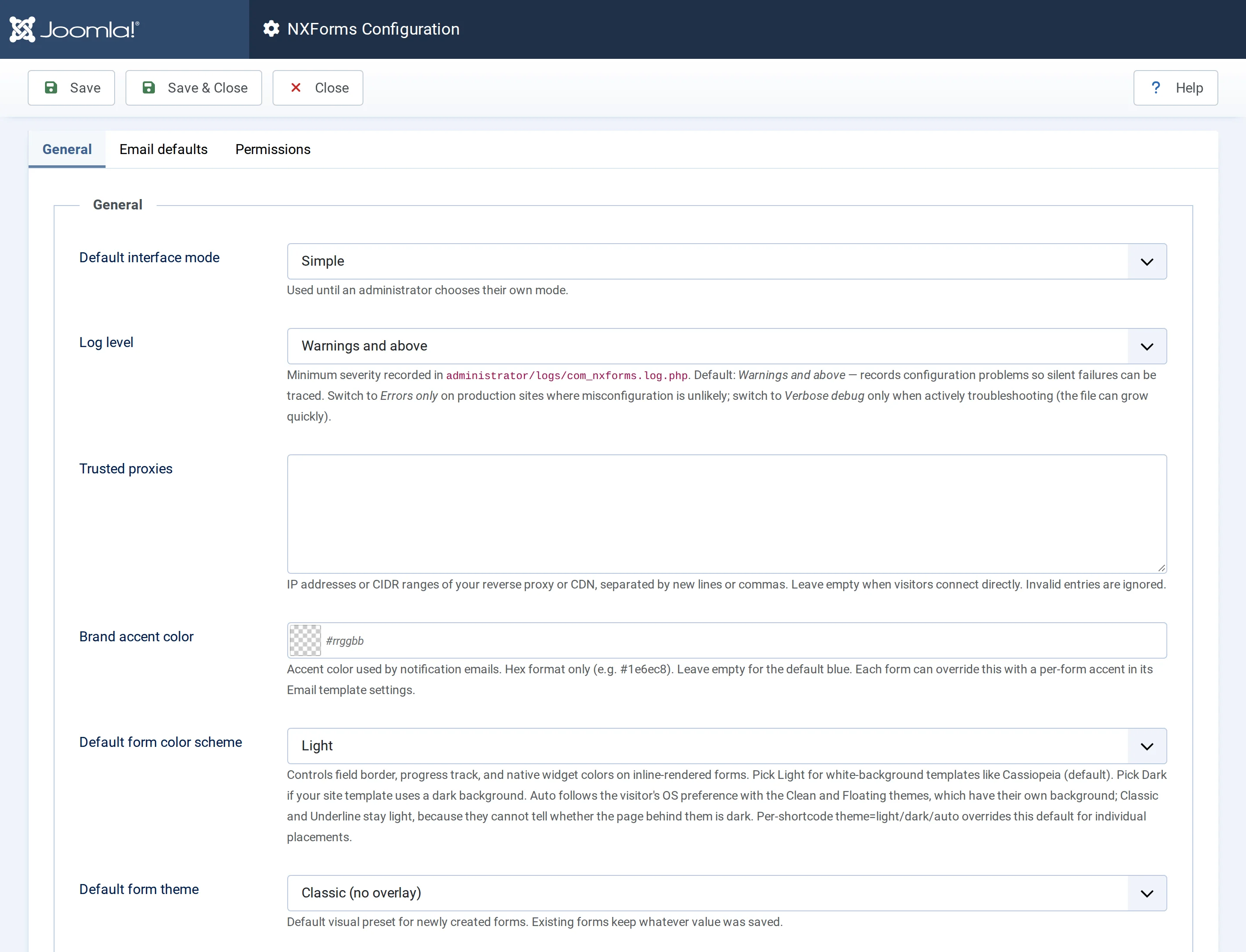
General
- Default interface mode: Simple or Full, for administrators who haven't chosen a mode in the builder yet. See Simple and Full mode.
- Log level: what NXForms writes to
administrator/logs/com_nxforms.log.php: Errors only, Warnings and above (the default), Informational or Verbose debug. Use Verbose debug only while you look into a problem, because the file grows quickly. - Trusted proxies: only for sites behind Cloudflare, another CDN or a reverse proxy. Behind one, every visitor seems to come from the proxy's address, so visitors would share one rate limit and their stored IP addresses would be the proxy's. List the proxy's addresses or ranges, one per line, such as Cloudflare's ranges. NXForms then takes the visitor's own address from the
X-Forwarded-Forheader the proxy adds. Leave it empty when visitors connect directly, or when your host already passes their own addresses to Joomla. - Brand accent color: the accent colour of notification emails, as a hex value such as
#1e6ec8. Leave it empty for the default blue. A form can set its own in its email template. - Default form color scheme: Light for templates with a white background, such as Cassiopeia, or Dark for a dark template. Auto (match visitor OS) follows the visitor's device with the Clean and Floating themes; Classic and Underline stay light. A shortcode's
theme=overrides it, see Menu items, modules, articles and popups. - Default form theme: the theme of new forms: Classic, Clean, Underline or Floating. Existing forms keep theirs. See Themes and styling.
How visitors' IP addresses are stored is set for each form, under Privacy and retention.
Email defaults
The defaults for all forms' emails. A form uses them unless its own Email section says otherwise.
- Enable email notifications: the default for forms; each form's own Send email notifications switch decides for that form.
- Default recipient: where notifications go when a form has no recipient of its own.
- Default subject, Sender name, Sender address and an optional Reply-to address. Use a sender address on your own domain, so mail servers trust it.
- Email provider: how email is sent, see Emails. Each provider shows the boxes it needs, such as an API key. A saved key or password isn't shown again: leave its box empty to keep it, or set Remove stored credential on save to Yes to delete it.
Permissions
Joomla's permissions for NXForms, per user group:
- Access Administration Interface, Create, Edit, Edit State and Delete decide who can open NXForms and work with forms.
- Configure ACL & Options decides who can change these Options.
- View forms on the site decides who can see forms. Everyone can, unless you set it to Denied for a group.
Menu items and modules also keep their usual Joomla Access level.