

Appearance

Form API Pro
The Form API lets another system send entries to a form, server to server, without the form's page. Each form decides whether it accepts API entries, and each has its own key.
The API runs through Joomla's web services, with the NXForms API plugin of type webservices. It comes with NXForms Pro and is enabled when you install it.
Switch it on for a form
Open the form's settings and choose API access. The section is shown in Full mode.
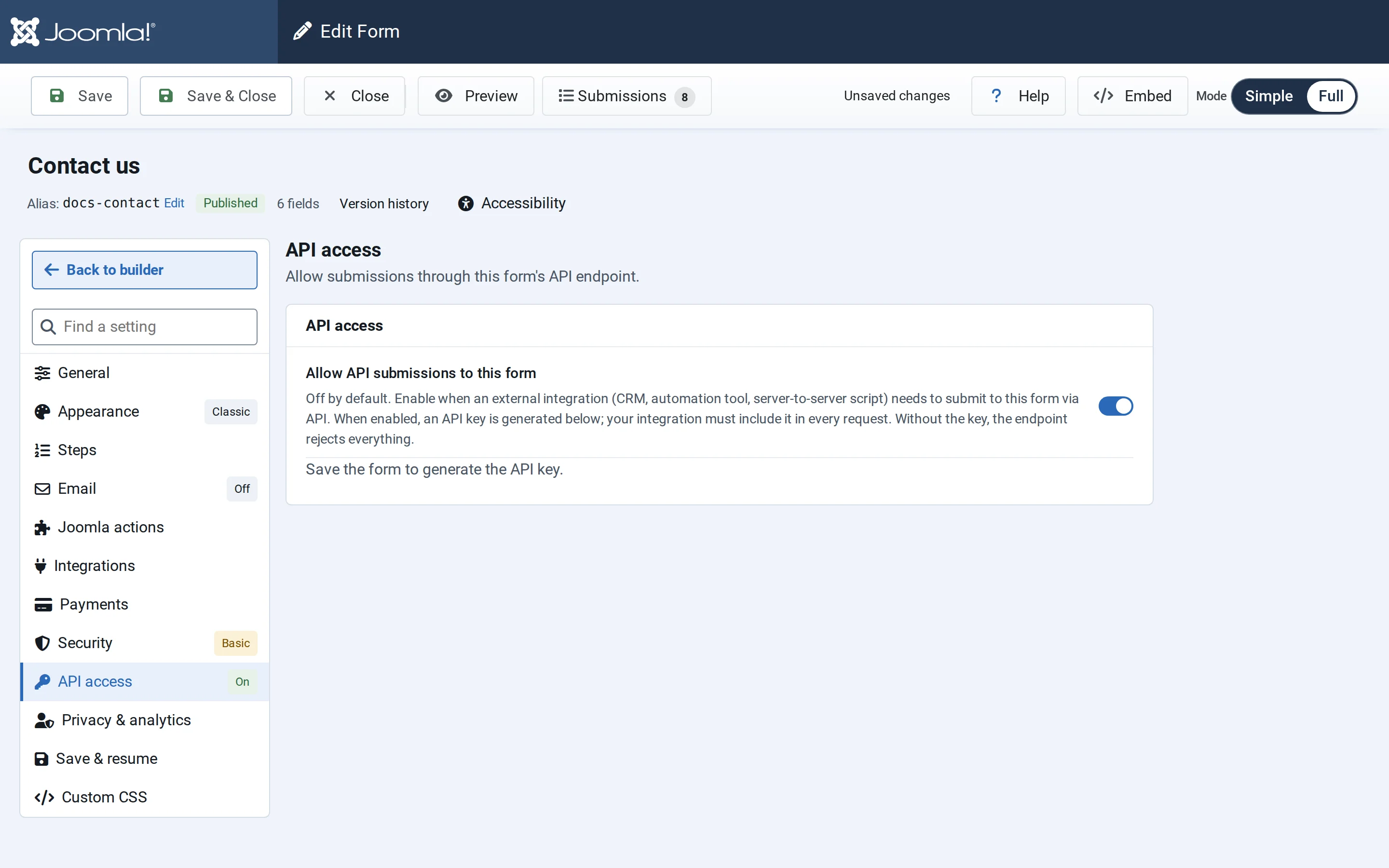
- Switch on Allow API submissions to this form and save the form. NXForms creates the API key.
- Copy the key and the API endpoint. Reveal shows the key again later, for 30 seconds.
- Optionally, list Allowed source IPs (optional), one per line: exact IPv4 or IPv6 addresses, or ranges such as
10.0.0.0/8or2001:db8::/32. Requests from other addresses are refused, even with the right key.
Treat the key like a password. Regenerate replaces it and Remove deletes it and turns API entries off; either way, systems using the old key stop working at once.
Send an entry
Send a POST request with the key in the X-NXForms-Api-Key header, and a JSON body with the form's ID and the answers, keyed by each field's key:
bash
curl -X POST "https://www.example.com/api/index.php/v1/nxforms/submission" \
  -H "Content-Type: application/json" \
  -H "X-NXForms-Api-Key: YOUR_API_KEY" \
-d '{"formId": 12, "full_name": "Ana Petrova", "email_address": "ana.petrova@example.com"}'Authorization: Bearer YOUR_API_KEY works instead of the X-NXForms-Api-Key header. A field's key is in its settings, under Basics: see Fields.
The entry is checked like one sent from the page: required fields, formats and the form's rate limit. Then it's stored, its emails are sent, and its integrations and Joomla actions run. Entries sent through the API show an API badge in Submissions.
A form with a CAPTCHA needs a CAPTCHA answer in every request too, so forms used only through the API usually have no CAPTCHA.
Answers
| Status | Means |
|---|---|
| 200 | The entry was stored |
| 400 | The entry was rejected as spam |
| 401 | The key is missing or wrong, the form doesn't accept API entries, or the address isn't allowed: "API submission is not available for this form or the credentials are invalid." |
| 403 | The form takes payments, which only works in a browser |
| 404 | There is no form with that ID |
| 409 | The form is paused: "This form is currently unavailable." |
| 422 | Some answers aren't valid. The body lists the problem for each field |
| 429 | Too many entries in a short time: "Too many submissions detected. Please slow down." |
After 10 requests with a wrong key within an hour, the address is refused until the next hour, even with the right key.