

Appearance

Twilio SMS Pro
Sends a text message to one phone number, such as yours or your team's, each time the form is sent. Visitors don't get text messages through this integration. It comes with NXForms Pro.
What you need
From your Twilio Console:
- The Account SID, starting with
AC. - A standard API key: its API Key SID, starting with
SK, and its secret. The secret is shown only when you create the key. - A Twilio phone number to send from, or a Messaging Service SID.
Set it up
In the form's settings, open Integrations and select Twilio SMS.
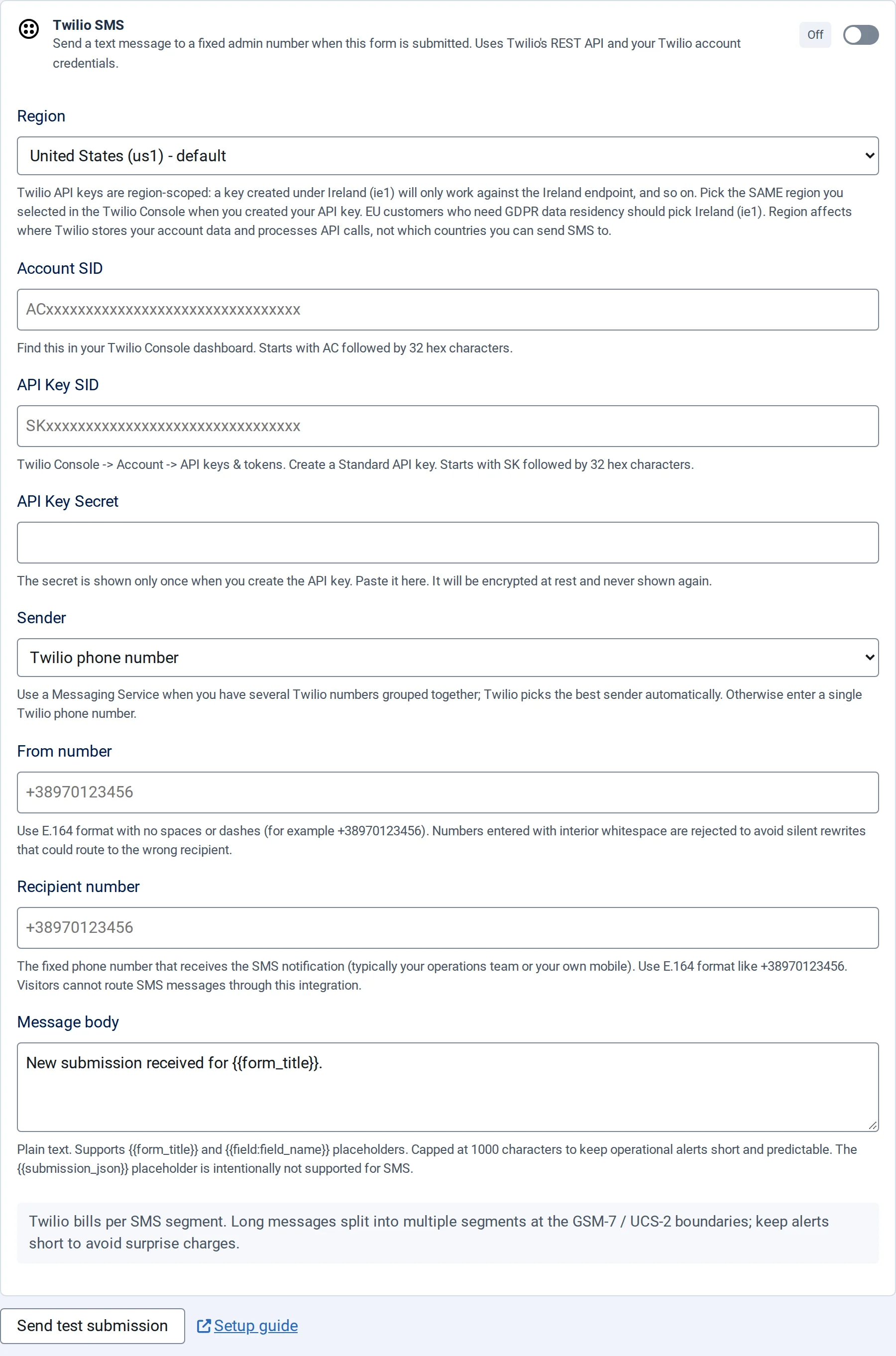
- Switch on Enable Twilio SMS notification.
- Choose the Region where you created the API key: United States (us1), Ireland (ie1) or Australia (au1). A key works only in its own region.
- Fill in the Account SID, API Key SID and API Key Secret.
- Under Sender, use a From number, or a Messaging Service SID if you've grouped several Twilio numbers.
- Enter the Recipient number.
- Write the Message body.
- Save the form.
Write phone numbers in international format with no spaces or dashes, for example +38970123456.
The message
The message can include {{form_title}} and answers as {{field:key}}, using the field's key, for example New request from {{field:full_name}}. It can be up to 1000 characters; longer messages are cut. Empty, it says "New submission received for" and the form's title.
Twilio charges per message part, and long messages are split into several parts, so keep alerts short.
The API Key Secret is stored encrypted and isn't shown again.