

Appearance

Spam protection
Each form has its own spam protection, in the Security section of the form settings (Spam protection in Simple mode).
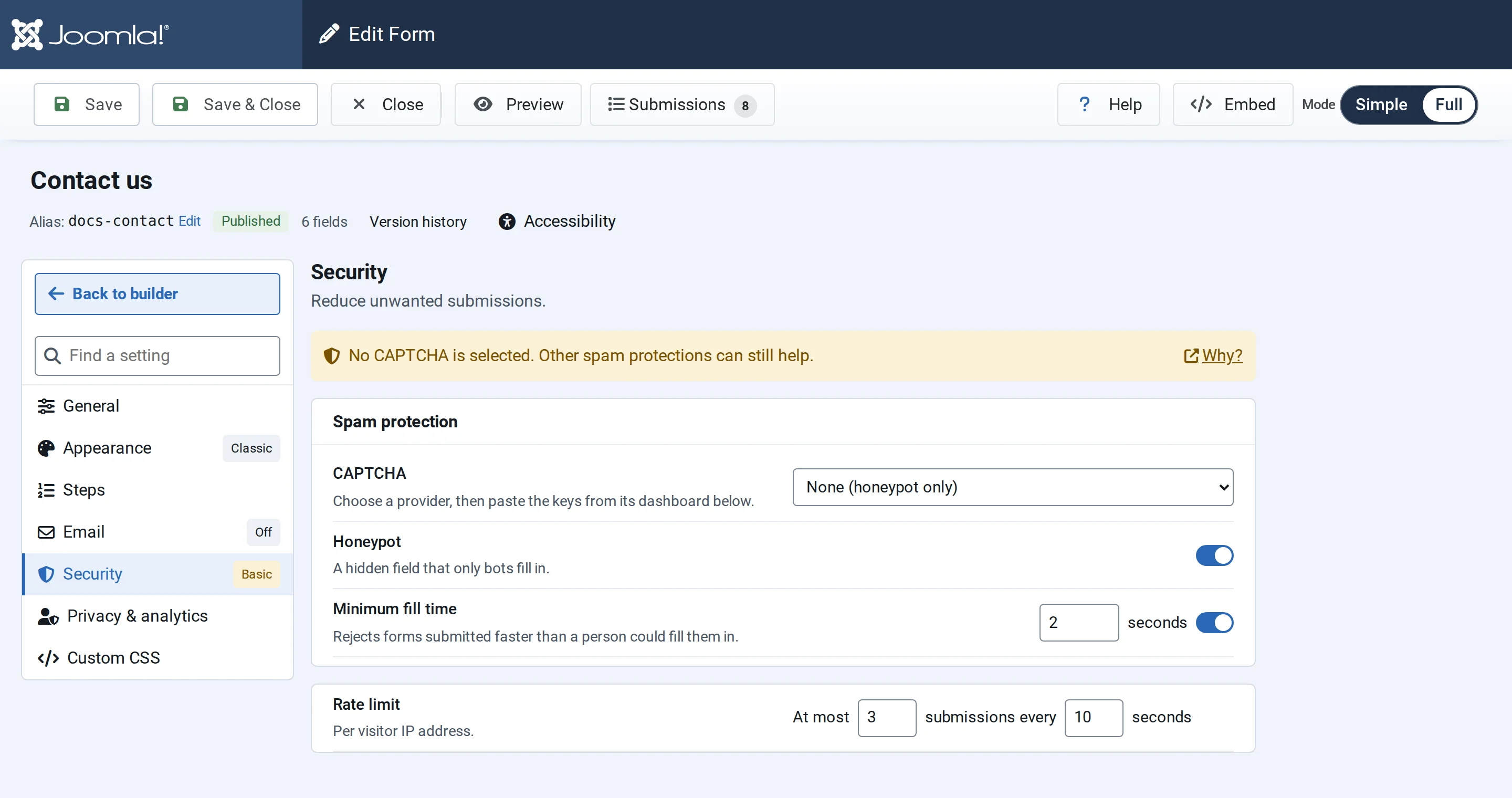
Honeypot and minimum fill time
Both are on for new forms, and visitors don't notice them.
- Honeypot: a hidden field that people never see. Bots that fill in every field are rejected.
- Minimum fill time: rejects a form sent faster than a person could fill it in, 2 seconds by default (1 to 10). The visitor sees "Submission received too quickly. Please try again."
CAPTCHA
For stronger protection, choose a provider under CAPTCHA:
- Google reCAPTCHA v3
- Cloudflare Turnstile
- Friendly Captcha
Create a key pair in the provider's dashboard for your site's domain, then paste the Site Key and Secret Key. Both are needed: if one is missing when you save, the provider goes back to None. The secret is stored encrypted and isn't shown again; leave its box empty to keep it.
When the check fails, the visitor sees "Captcha verification failed. Please try again."
Without a CAPTCHA, the section reminds you that other protections still help. On a form that sends emails or webhooks, the reminder is stronger, because spam would reach your inbox or other services.
Rate limit
The rate limit allows a number of submissions from one IP address in a time window: At most 3 submissions every 10 seconds by default. A visitor who sends more sees "Too many submissions detected. Please slow down."
The rate limit always applies; its setting is shown in Full mode.
On a site behind Cloudflare or another proxy, fill in Trusted proxies in Options, so that each visitor has their own limit.