

Appearance

Mailchimp Pro
Adds the person who sent the form to a Mailchimp audience, with their name and tags. If the email address is already in the audience, the contact is updated. It comes with NXForms Pro.
What you need
An API key from your Mailchimp account. It ends with your account's data centre, for example -us21.
Set it up
In the form's settings, open Integrations and select Mailchimp.
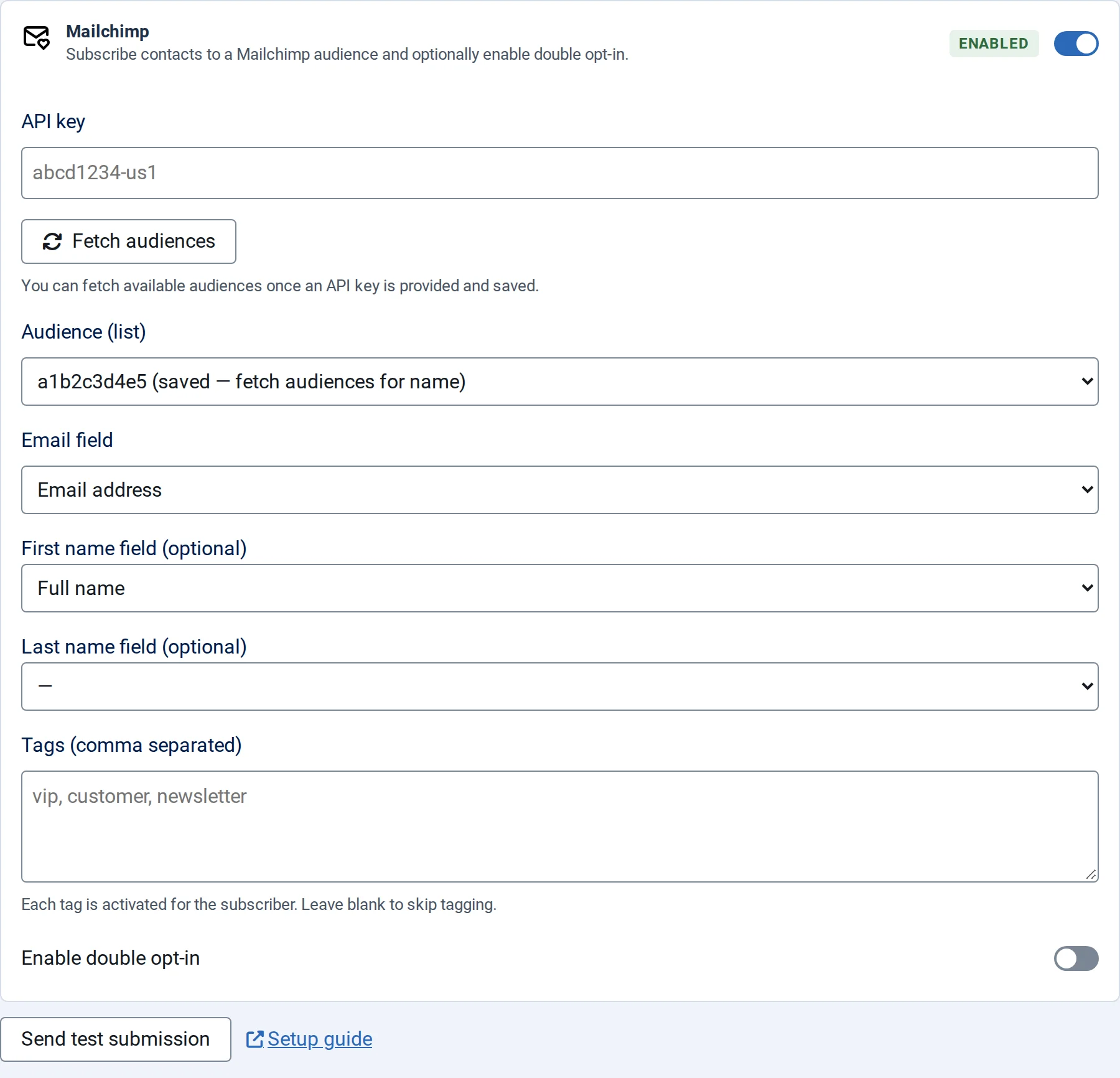
- Switch on Enable Mailchimp and paste the API key.
- Select Fetch audiences, then choose the Audience (list).
- Choose the Email field, and optionally the First name field (optional) and Last name field (optional).
- Optionally add Tags (comma separated), for example
newsletter, website. - Switch on Enable double opt-in if Mailchimp should ask each person to confirm by email before they're subscribed.
- Save the form.
What is sent
The email address, the first and last name (as Mailchimp's FNAME and LNAME) and the tags. Entries without a valid email address are skipped.
Every entry with an email address is sent, so use Mailchimp on forms where visitors expect to join your list, such as a newsletter sign-up, and say so on the form.