

Appearance
Usage

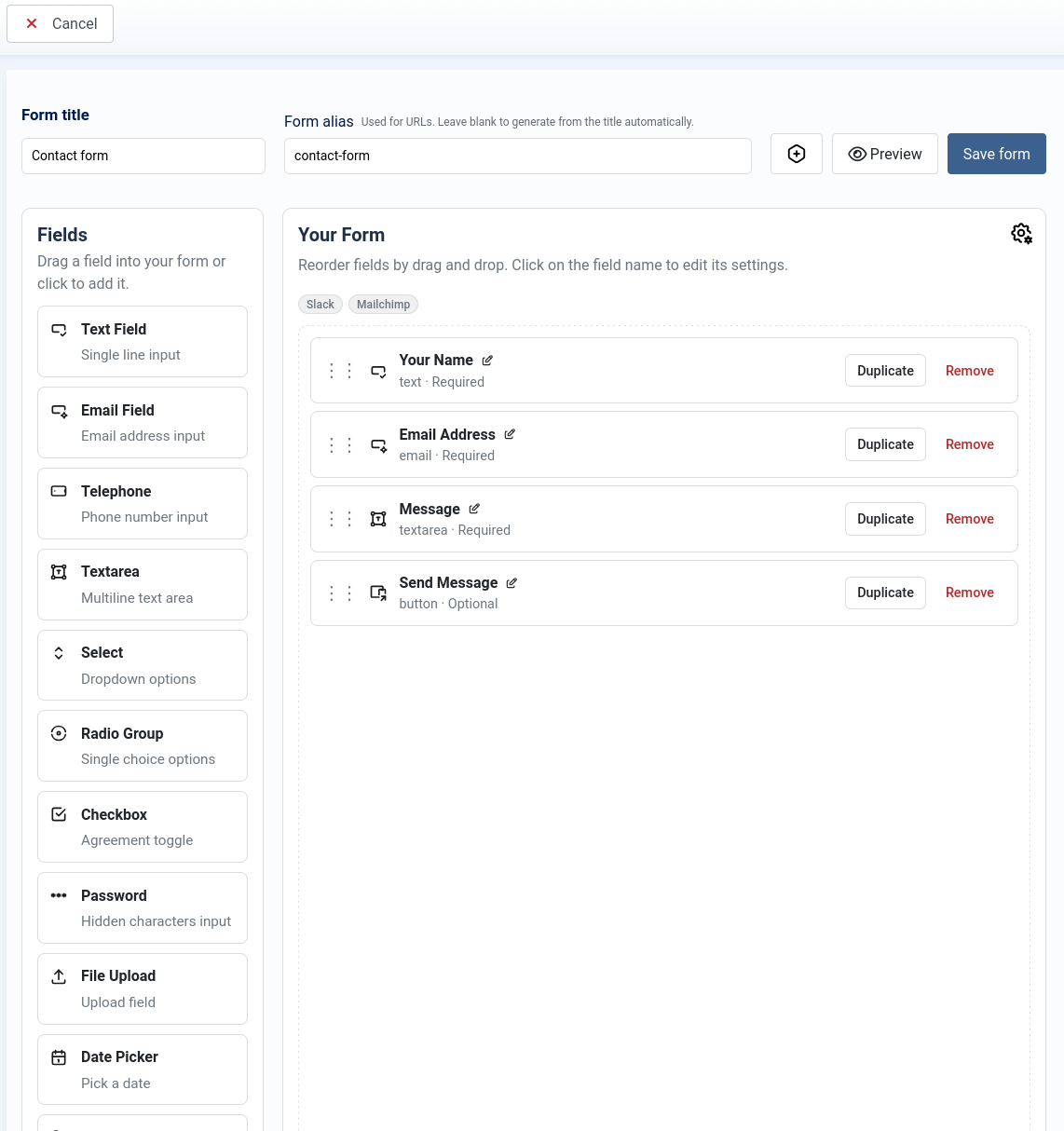
Create a form
- Open Easy Forms → Forms and click New.
- Pick a template or start from scratch.
- Drag fields into the canvas and adjust settings.
- Preview the form and publish it.
Create a form from scratch:
Templates
Start quickly with ready-made form templates:
| Template | Best for |
|---|---|
| Simple Contact Form | Basic inquiries with name, email, message |
| Business Contact Form | Professional inquiries with company and phone fields |
| Newsletter Signup | Email list subscriptions with consent checkbox |
| Job Application Form | Collecting resumes and candidate information |
| Course Registration | Educational sign-ups with course selection |
| Event Registration | Event bookings with attendee details |
| Customer Feedback | Satisfaction surveys and reviews |
| Support Ticket | Help desk requests with priority and category |
| Request a Quote | Service quotes with project details |
| User Registration | Create Joomla accounts from form submissions |
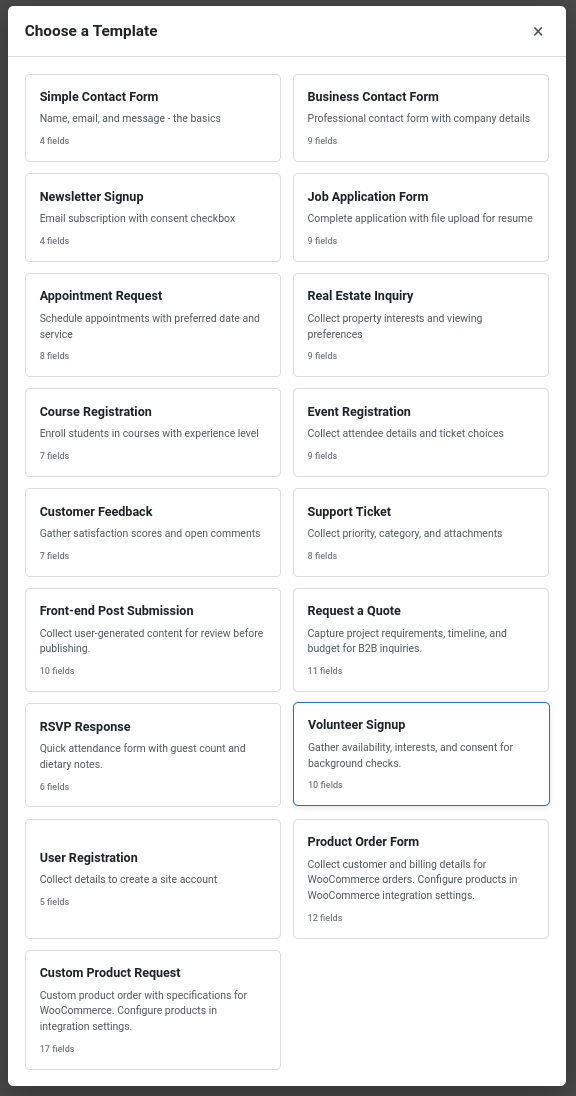
Create a form from a template:
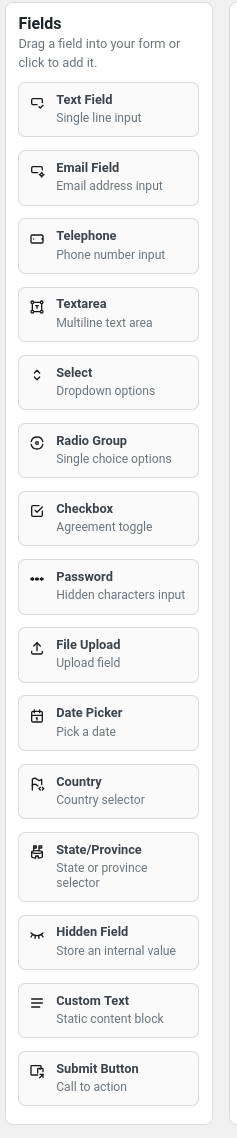
Builder palette
Form builder
Embed the form
- Insert the form using the component menu item or content plugin shortcode
{nxpeasyform 123}. - Optionally publish
mod_nxpeasyformsin module positions for block-based layouts.
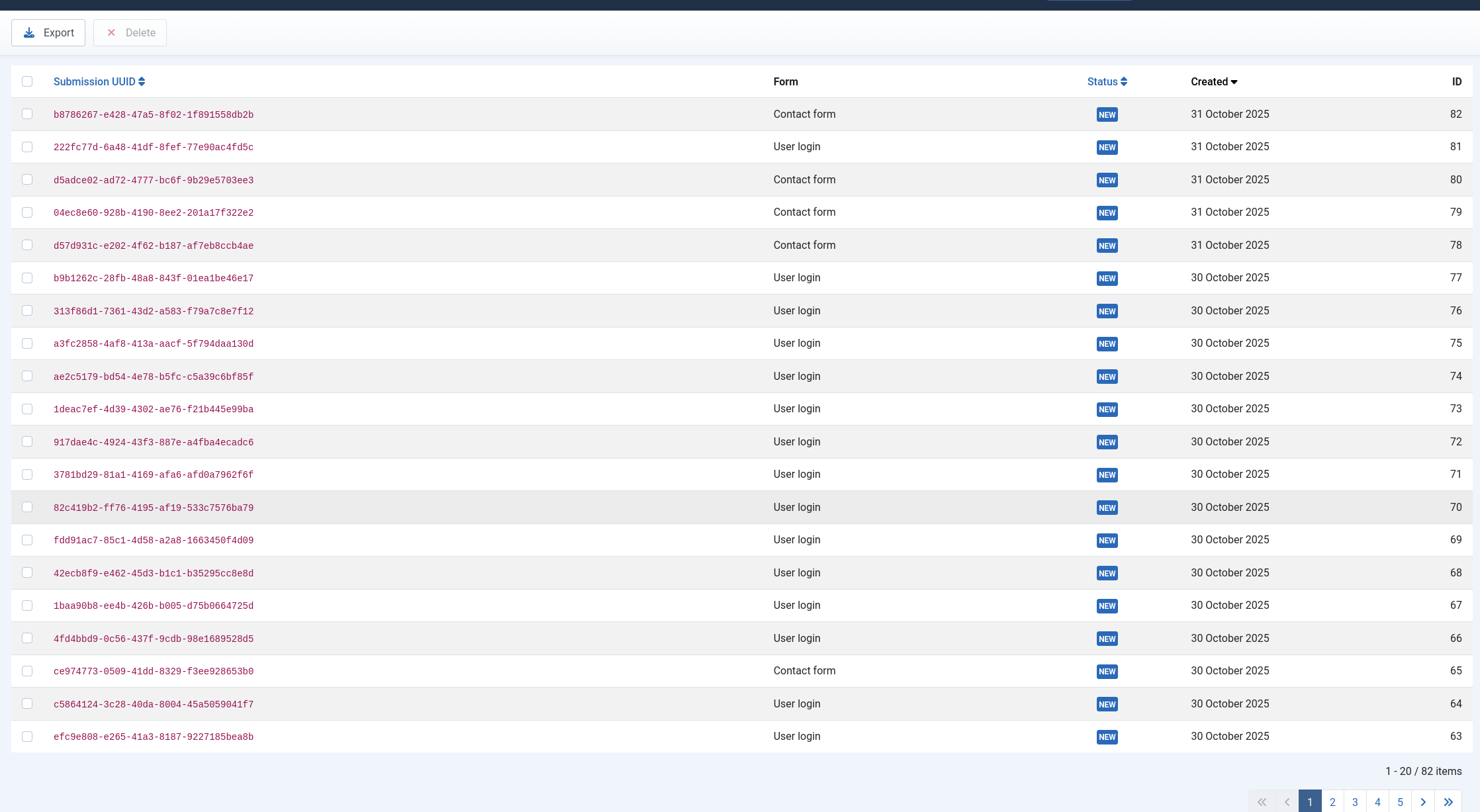
Manage submissions
- View submissions from the Forms list.
- Export submissions for reporting or audits.
- Enable auto-deletion if you require data retention controls.
Submissions
Run integrations
Enable integrations in Settings → Integrations on each form. Use test submissions to confirm payloads and delivery.
Country/state form flows
For location-aware forms:
- Add Country and State fields in builder.
- Publish and test frontend behavior.
- Verify state options reload when country selection changes.