

Appearance

Configuration
These settings belong to the NexusConsent Free consent plugin, also included in Pro. For the Pro workspace's scan defaults, Smart Embeds, and consent-panel details, see Pro configuration.
Basic settings
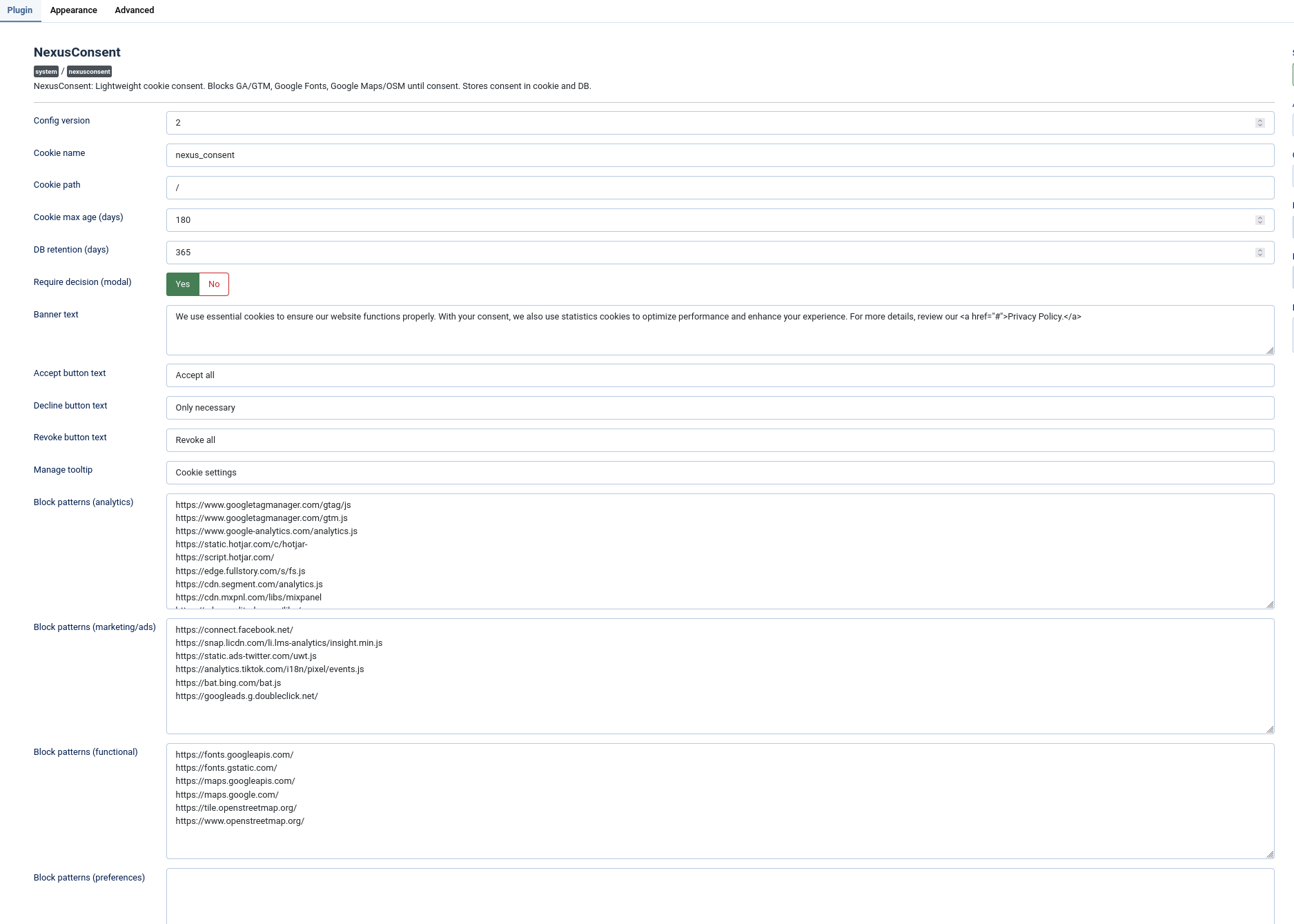
- Consent version, cookie name/path/lifetime.
- Database retention window for stored consent records.
- Retention cleanup runs when consent is saved. There is no separate retention toggle.
- Stored records contain the latest consent state per visitor token, not every historical decision.
Appearance
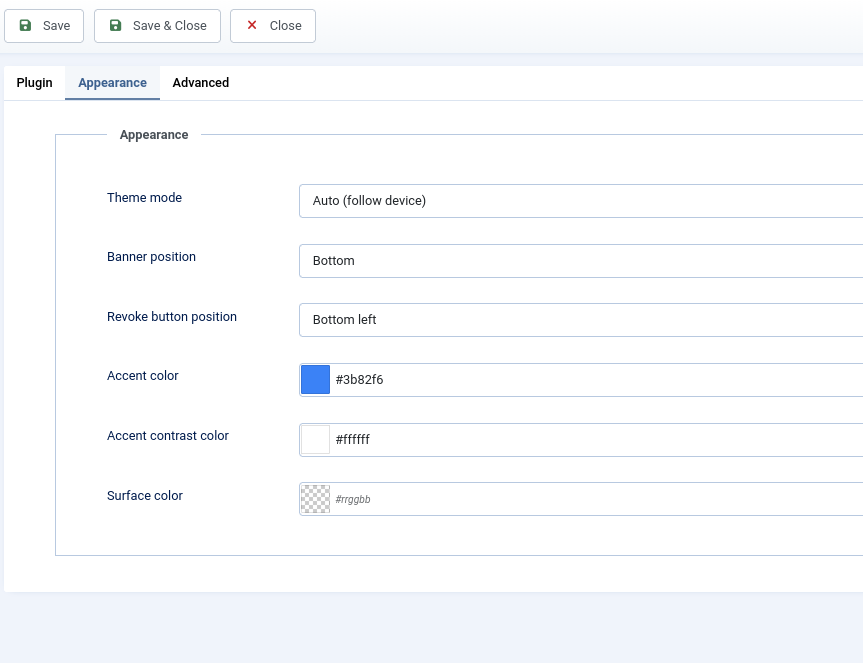
- Theme: light, dark, or auto.
- Banner position and floating button placement.
- Accent colors to match your site.
- Frontend status text, button labels, and accessibility labels are language-driven unless you enter custom text in the plugin settings.
Patterns
- Add URL fragments (one per line) for analytics, marketing, functional, and preferences services.
- Matching is substring-based, so
googletagmanager.comblocks any matching resource URL. - Patterns apply to matching scripts, stylesheets, and iframes.
- Categories with empty pattern lists are automatically hidden from the consent UI.
- If all optional categories are empty, the banner shows an "only essential cookies" message.
Preset Library
- Use quick-add checkboxes to toggle common services without typing patterns manually.
- Includes ready presets for analytics, marketing, and functional services.
- Functional presets include common embeds such as fonts, maps, video players, and reCAPTCHA.
- Use Reset to defaults per category when needed.
See Preset Library for the full list.
Site Scanner
- Super Admins can scan a page and detect external scripts, stylesheets, and iframes.
- Scanner shows the resource type and suggests categories when a known preset matches.
- Selected fragments can be appended directly to pattern fields.
- Works on your own site paths only (SSRF-protected).
See Site Scanner for usage and limitations.
Advanced
- Override AJAX endpoint (reverse proxy scenarios).
- Enable the optional TCF v2 stub.
- Toggle attribution link.
- Optionally enable Microsoft Clarity consent synchronization.
Microsoft Advertising
Configure the Microsoft Ads preset under Marketing to enable UET Basic Consent Mode. UET remains held until the visitor grants Marketing, and the matching ad_storage signal is set before the tag loads. No extra Microsoft-specific visitor choice is added.
Audit-save limits and proxies
The Advanced tab limits consent-log saves by session and IP to avoid flooding the records table. Defaults are 30 saves per session, 300 per IP, in a 60-minute window. A throttled audit write does not change the visitor's locally stored consent choice.
If a trusted reverse proxy or CDN handles the site, configure Joomla's Global Configuration → Server → Behind Load Balancer so records and limits use the visitor address correctly. Only enable this when your proxy overwrites forwarding headers reliably.
Page caching
Joomla's built-in page cache is coordinated automatically with the consent state. External caches and CDNs need their own configuration: bypass caching when the consent cookie is present, or vary the cache key by that cookie. The public no-consent variant must keep optional services blocked. Test through the public site URL with browsers holding different choices.
TCF v2 Stub
The Transparency and Consent Framework (TCF) is an IAB Europe standard for communicating user consent to advertising and tracking platforms. Ad services such as Google Ads and AdSense check for a global window.__tcfapi function to determine whether the visitor has consented. If this function is absent, some ad scripts may refuse to load or display errors.
When enabled, the TCF stub option registers a lightweight implementation of the __tcfapi interface. It does not make NexusConsent a certified Consent Management Platform (CMP) — it provides just enough to satisfy the most common checks that ad scripts perform:
| Command | What the ad script asks | What the stub responds |
|---|---|---|
ping | "Is a CMP present?" | Yes — GDPR applies, CMP is loaded. |
getTCData | "Did the user consent to tracking purposes?" | Maps NexusConsent's analytics and marketing categories to TCF purpose IDs 1, 7, 8, 9 and 10. If either category is granted, those purposes report as consented. |
addEventListener | "Notify me when consent status is ready." | Immediately responds with a tcloaded event. |
Why it exists: Sites running Google AdSense or similar ad networks may see blank ad slots or console errors because those scripts expect a TCF-compatible CMP. The stub satisfies their checks using the consent choices visitors have already made through NexusConsent.
Why it is disabled by default: The stub is not an IAB-registered CMP. It does not generate real TC Strings and uses cmpId: 0. Sites that require full TCF compliance — for example, large publishers with programmatic ad partners that validate TC String payloads — should use a registered CMP instead. For most small-to-medium sites with basic ad integrations, the stub is a practical solution that prevents ad scripts from failing.
Legal Disclaimer
NexusConsent is a technical tool designed to assist website owners with cookie and consent management. It is not a legal service and its use does not, by itself, guarantee compliance with any privacy regulation.
- No legal advice. Nothing in this plugin or its documentation constitutes legal advice. Privacy laws — including the GDPR, ePrivacy Directive, CCPA/CPRA, LGPD, POPIA and others — vary by jurisdiction, are subject to change, and may impose requirements beyond what any technical tool can address.
- Configuration is your responsibility. The site owner is responsible for correctly configuring consent categories, block patterns, banner text, and privacy policy references to reflect the actual data processing activities on their site.
- TCF stub limitations. The optional TCF v2 stub is not an IAB-registered Consent Management Platform. It does not generate valid TC Strings and should not be relied upon where full TCF compliance is required.
- Consult qualified legal counsel. We strongly recommend seeking professional legal advice to ensure your consent implementation meets the specific requirements applicable to your site, audience, and jurisdiction.